


Island Packet News Hilton Head
3.440.00 Reviews
App Specs
- Version
- 11.1.16
- Updated On
- License
- Free
- Downloads
- 10,000+
- Developer
- McClatchy
- Categories
- News & Magazines
- Platform
- Android
Screenshots
 Analysis by AppCompare
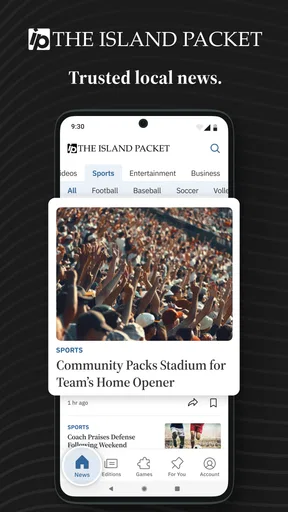
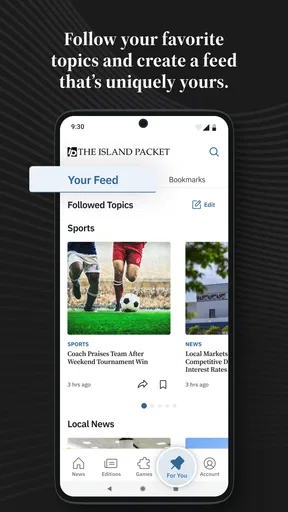
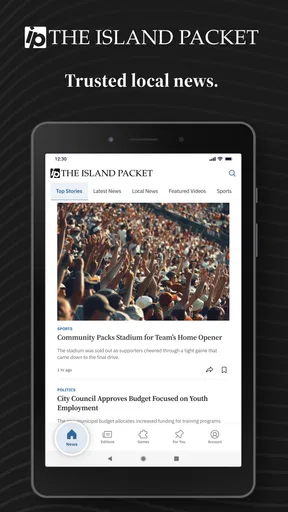
I spent time with Island Packet News Hilton Head as a local news reader, paying particular attention to how useful it feels during an ordinary day and how much control the reader appears to have over the experience. It is a free News & Magazines app from McClatchy, aimed at people who want Hilton Head and South Carolina coverage in one place rather than a broad national news feed. Its focus is local breaking news, politics, weather, and sports, which gives it a clear purpose from the moment it opens.
That focus is also the main reason to consider it. This is not the app I would choose for international headlines, long-form technology reporting, or a wide selection of national opinion. I see it as a local information tool: something to check before leaving home, during a developing story, or when I want to understand what is happening around Hilton Head without sorting through a general-purpose news service.
What the Hilton Head focus feels like in daily use
The strongest part of the experience is the editorial boundary. A general news app may give me a little local coverage mixed with hundreds of unrelated stories, while this app keeps the attention on Hilton Head and South Carolina. That narrower approach can save time. When I am checking the weather, looking for a local political update, or trying to follow a regional sports story, I do not have to begin with a national homepage and hunt for the relevant section.
I found that especially useful in a realistic morning routine. Before heading out, I could use the app as a quick local briefing: scan the latest headlines, check weather information, and then decide whether a developing story deserved a deeper read. The value is not that it replaces every other source. The value is that it gives local subjects a dedicated place in my reading habits.
The app’s age is worth keeping in mind. It first appeared on March 14, 2012, so it belongs to a long-running generation of mobile news products rather than a newly designed social feed. The current version is 11.1.16, and it supports Android 8.0 and later. That makes the compatibility requirement fairly important if I am using an older phone or maintaining an older device for travel.
On the Google Play listing, the app has a 3.4 average from 103 ratings, with 40 written reviews and more than 10K installs. Those figures suggest a modest, focused audience rather than a huge national platform. I would not treat the rating as a complete judgment of the journalism, but I would take it as a reason to test the app personally instead of assuming the experience will suit everyone.
Local coverage is helpful, but it narrows the app’s role
The local emphasis makes the app more relevant to residents, property owners, frequent visitors, and people following events in the area. It can also help someone who has moved away but still wants a practical connection to Hilton Head news. For that audience, the narrower scope is a benefit because relevance matters more than volume.
Worth Reading Before You Choose

EA SPORTS FC Mobile 26 Is a Bigger Football Game, but It Takes Time

Flipboard Shows What News Apps Must Do Beyond the Feed

Switching to Android Auto Means Rethinking Your Driving Routine

Google Calendar Makes a Crowded Week Easier to Manage

Ludo King Makes the Most of the Minutes Between Plans

Baby Panda World Brings Quick Play to Modern Phones, but Its Game Library Feels Busy
For readers who expect a full daily news replacement, the boundaries may become frustrating. I would still keep a broader news source for national and international events, and I would use an official weather service when conditions are especially serious. A local newspaper app can provide context, but it should not automatically become the only source I consult for urgent decisions.
The same trade-off applies to sports. Local sports coverage can be more useful than a national sports app when I care about nearby teams and regional stories. However, someone who wants comprehensive league schedules, live scores across many competitions, or extensive statistical tools will probably be better served by a specialist sports application. This app’s strength is local editorial attention, not all-purpose sports depth.
Trust starts with knowing what the app is—and what it is not
I trust a news app more easily when its purpose is straightforward. Here, the developer is McClatchy, the store category is News & Magazines, and the age rating is Everyone 10+. Those details set sensible expectations: this is a general local news product, not an anonymous rumor board or an entertainment game disguised as a news feed.
Still, a recognizable developer does not remove the need for personal judgment. News involves sensitive subjects, including politics, public safety, and community disputes. I would read the article rather than rely on a push headline, compare important claims with primary sources, and avoid treating a single local report as the entire picture. The app can help me find relevant reporting, but responsible reading still depends on how I use it.
The free download lowers the barrier to trying it, although the listing also shows in-app purchases ranging from $7.99 to $159.99 per item. That is the point at which I would slow down and inspect the purchase screen carefully. A free install does not necessarily mean every part of the reading experience is free, and the wide range means I would want to understand exactly what an offered purchase unlocks before confirming it.
Controls, data-sensitive moments, and reader choice
I treat privacy and purchases as separate choices from simply reading local coverage, so I would take a moment to review each prompt rather than tapping through on autopilot. That small pause also helps me decide which alerts genuinely deserve my attention, setting up a calmer, more repeatable reading routine.
What I would check before settling into regular use
My first trust check with any news app is not the headline list; it is the permission and account flow. I look at what the app asks for during setup, whether a request is clearly explained, and whether I can continue reading without granting access that does not seem necessary for the task. If a permission prompt appears, I consider its purpose instead of accepting everything automatically.
That habit matters particularly for a local news app because location can feel relevant even when it is not essential. A reader may live in Hilton Head, visit occasionally, or follow the area from somewhere else. I would prefer to choose a location manually when possible rather than assume that location access is required. If weather or local relevance depends on a setting, I would look for an in-app choice before enabling a device-level permission.
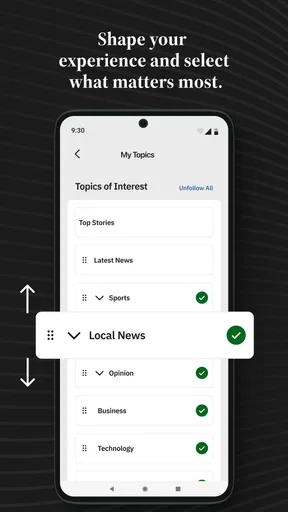
I also pay attention to notification requests. Breaking news can be useful, but constant alerts can turn a focused reader into a distracted one. My practical approach would be to begin with notifications disabled or limited, then enable them only if I genuinely need urgent local updates. If the operating system offers separate notification controls, I would use those rather than allowing every alert by default.
Account creation is another moment where I want a visible choice. If the app asks me to register, I would check whether an account is needed for basic reading, whether email communication can be controlled separately, and whether sign-in is connected to purchases or subscriptions. I would not enter more personal information than the reading experience requires. These are simple precautions, but they make a meaningful difference in how much agency I retain.
Where sensitive decisions can appear during reading
News reading often involves more than opening an article. I may encounter a prompt to subscribe, a request to enable alerts, a sign-in screen, or an offer connected to premium access. I consider each one a separate decision. A reader who is eager to reach a story can easily tap through a screen without noticing whether it creates a recurring commitment or simply opens a one-time purchase.
Because the listed purchase range is broad, I would be especially careful around checkout language. I would read the amount, billing frequency, cancellation instructions, and account used for the transaction before confirming. I would also check the relevant app-store subscription controls afterward. That is not a criticism of this particular app’s billing practices; it is a sensible workflow whenever a free news app presents paid options.
Privacy choices deserve the same attention. I look for understandable explanations of data collection and sharing, along with settings that let me change a decision later. I do not assume that a news app handles data in the same way as a browser or a weather tool. Reading habits, account details, device information, and notification preferences can all feel personal, so I want the app’s visible choices to match the level of access I am comfortable granting.
If the app presents a privacy notice or consent prompt, I would read the available options rather than selecting the fastest button. If the choices are unclear, I would postpone optional permissions and continue with the most limited setup available. That approach lets me evaluate the core news experience first, instead of trading away control before I know whether the app is useful to me.
Practical ways to keep control
My preferred setup would be deliberately conservative. I would install the app, review the first-run prompts, allow only the access needed for features I actually plan to use, and then revisit Android’s app settings. I would check notifications, permissions, and storage behavior from the device settings rather than relying only on the app’s own screens. This gives me a second place to confirm what I have allowed.
I would also review purchase settings before using the app with a shared family device. A news app can be opened casually, and a prominently placed offer can be mistaken for a normal article action. Requiring authentication for purchases is a useful safeguard, especially when children or guests may use the phone. The Everyone 10+ rating does not mean every reader will understand a purchase flow automatically.
For account management, I would keep login details unique and use the account controls offered by the platform. If I stopped using the app, I would remove unnecessary permissions, disable notifications, and review any active subscription or purchase status rather than simply deleting the icon. Deleting an app and ending a billing arrangement are not always the same action, so I treat them separately.
I also recommend saving important information elsewhere when it matters. If I am following a local issue that affects travel, work, or family plans, I would note the key details and check the source again later. A mobile news feed is convenient, but it is not a permanent personal archive. This is one of the less obvious trade-offs of relying on a dedicated local reader: speed and relevance are excellent, while long-term organization may require my own system.
Who will benefit most from this focused reader
I think the app is a good fit for someone who lives in Hilton Head or regularly spends time there and wants local reporting close at hand. It also makes sense for a former resident who follows South Carolina politics, weather, sports, and community developments from a distance. The app’s value increases when local context matters more to me than having every possible topic in one feed.
It is less convincing for a reader who already has a favorite newspaper website, a strong RSS workflow, or a national news app that provides all the local coverage needed. A browser may be better for occasional visitors who do not want another installed app. A broader aggregator may be better for someone who wants to compare many publications quickly. A specialist weather app may be better when forecasts and alerts are the primary concern.
I would also hesitate to recommend it as the sole source for emergency information. Local news can add useful reporting and context, but urgent instructions should come from the appropriate official authorities as well. The same caution applies to political stories: I would use the app to discover reporting, then inspect the article details and seek original documents or direct statements when a claim affects an important decision.
My verdict after weighing convenience against friction
The best reason to install Island Packet News Hilton Head is its local concentration, not its breadth. I like the idea of opening one focused reader when I want Hilton Head and South Carolina coverage without wading through an oversized national feed. The free entry point makes trying it easy, and the established developer gives the product a clear identity.
My reservations are equally practical. The average rating is middling, the audience is relatively small, and the presence of in-app purchases means I would pay close attention to account and billing screens. I would not install it expecting a universal news replacement, a complete sports tracker, or a substitute for official emergency channels. Its usefulness depends heavily on whether Hilton Head news is genuinely part of my daily information needs.
For my own use, I would keep notifications selective, review permissions and privacy choices during setup, and treat every purchase prompt as something to inspect rather than dismiss. I would also maintain a second source for wider news and urgent weather information. Used that way, this app can be a practical local window with a manageable routine around it. If I only need occasional headlines or want a much broader news mix, I would choose a browser or general news service instead.
Pros
- Focused coverage of Hilton Head Island news and local events.
- Helps residents stay informed about community updates and announcements.
- Convenient access to local stories from a mobile device.
- Useful for visitors seeking current island happenings and information.
- Simple format makes browsing headlines quick and straightforward.
Cons
- Coverage may be too local for users outside the Hilton Head area.
- Some articles or features may require an internet connection.
- News frequency can vary depending on local events and submissions.
- The app may offer fewer multimedia features than larger news platforms.
- Older devices may experience compatibility or performance limitations.
FAQs for Island Packet News Hilton Head
What is Island Packet News Hilton Head?
Island Packet News Hilton Head is a local news app focused on Hilton Head Island and the surrounding Lowcountry area. It provides access to community reporting, breaking news, local politics, business updates, events, sports, lifestyle stories, and other regional coverage. It is designed for readers who want a convenient way to follow developments that affect residents, visitors, and local organizations.
What kind of content can I read in the app?
The app typically brings together the publication’s local journalism in one place, including headlines, detailed articles, opinion pieces, community announcements, and coverage of important regional events. Depending on the current edition and available features, readers may also find photo galleries, alerts, special sections, and stories about traffic, weather, public safety, schools, and activities around Hilton Head Island.
Is Island Packet News Hilton Head free to download and use?
Downloading the app may be free, but access to all articles and premium features can depend on the publication’s subscription policy. Some stories may be available without an account, while other content could require registration, a digital subscription, or an existing newspaper membership. Before downloading, check the current listing and in-app terms for pricing, trial periods, and renewal details.
Does the app require an internet connection?
An internet connection is generally needed to download fresh articles, receive breaking-news updates, load images, and display the latest sections of the publication. Mobile data can be used when Wi-Fi is unavailable, although frequent reading may consume a noticeable amount of data. Some apps may retain recently viewed content temporarily, but users should not assume that every article is available for complete offline reading.
Can I receive breaking-news notifications from Island Packet News Hilton Head?
The app may offer push notifications for breaking news, major local developments, alerts, and other important updates. Notifications are normally optional and can be enabled or disabled through the app or your device’s settings. If you want timely information about Hilton Head, review the notification preferences after installation, while remembering that enabling alerts may increase interruptions during the day.


